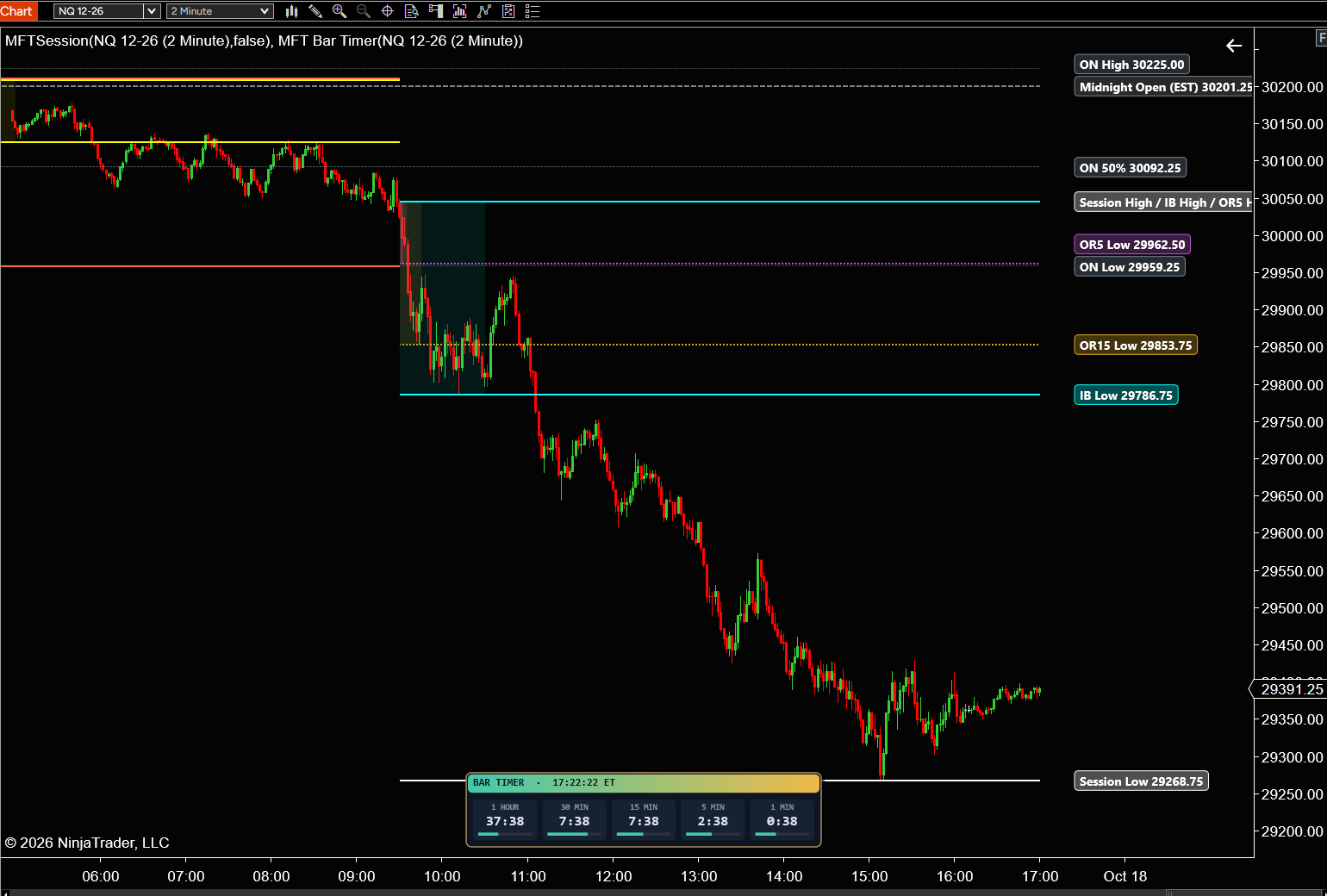
MFT Bar Timer
Five bar-close countdowns in one clean box - 60, 30, 15, 5 and 1 minute - so you always know when the next bar closes on every time frame, without switching charts.
Free
Home Indicators Tools & Panels MrFibsTrades Trade Panel

Built for NinjaTrader 8 Desktop · Windows · Category: Tools & Panels
Tools & Panels
Chart Trader, made better. Market and limit buttons with your ATM, TAKE 10, break-even and close in one click, plus a Trade Center that keeps every trade for each of your accounts.
Choose your license
Trade on two computers? Add a 2nd PC for just $47.50 more, half of today’s price.
✓ 3-day trade-in for store credit · Terms 🔒 Secure checkout (Stripe · PayPal) ⚡ Instant download
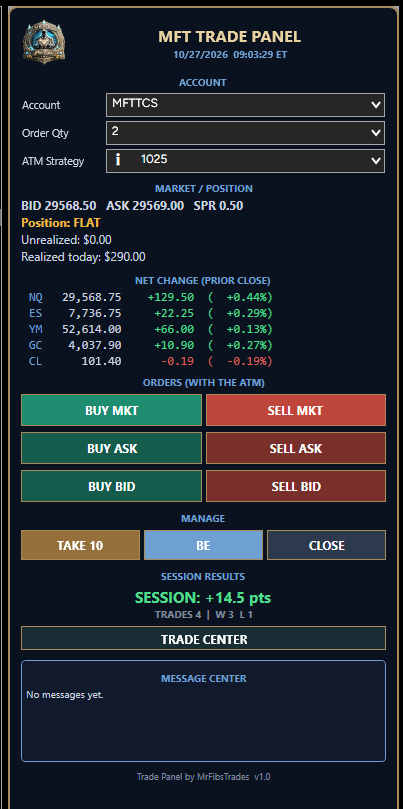
MFT Trade Panel sits right on top of NinjaTrader's Chart Trader and gives you everything you need to trade by hand from one clean panel. No strategy, no auto trading - every order is yours.
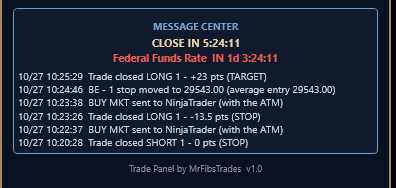
Every trade on the account picked on the panel goes into the Trade Center - whether you placed it from the panel, Chart Trader or the DOM. Each account keeps its own record. Switch accounts on the panel and the Trade Center switches with it. See today's trades, step back through earlier days, and see your last 10 days at a glance.
NQ, ES and YM against the prior close, live on the panel. Want other markets? Type them in the settings - up to 8.
Every text on the panel has its own font, size and color in the settings.
In Playback your trades show on the panel and in the Trade Center so you can practice - but nothing is saved. Sim and live accounts are recorded like always.
“I Love the ability to be able to click a button to move my stop to Break even or to trail my order by clicking take 10. In a market that's moving it is a incredible feature to manage risk in real time. It is so much better than trying to drag your orders on the chart. Highly recommend.”
Buy or sell at market, at the ask or at the bid - all with your ATM.
One click, one order - a double click never doubles your position.
Each click moves your stop further into profit - never through the market.
Move your stop to your entry, plus extra ticks, in one click.
Close the position and cancel every working order on that market.
Counts down to the open and the close, right on the panel.
The next red or amber USD event with a countdown - no surprises.
Your account balance, position and P&L at a glance.
Every trade kept for 10 sessions, with its own record for each account.
NQ, ES and YM against the prior close - or any markets you choose.
Pick the font and color for every text on the panel.
I Love the ability to be able to click a button to move my stop to Break even or to trail my order by clicking take 10. In a market that's moving it is a incredible feature to manage risk in real time. It is so much better than trying to drag your orders on the chart. Highly recommend.

| Platform | NinjaTrader 8 Desktop (Windows) |
|---|---|
| NinjaTrader versions | NinjaTrader 8.1.x.x (every 8.1 release, including the latest, 8.1.8.4) |
| Chart Trader | Must be showing on the chart |
| Data | Live or Playback connection; tick replay not needed |
| Charts | Any instrument, any bar type |
| Trading | Manual only - no strategy, no auto trading |
| ATM Strategy | Optional - recommended for stop and target |
| License | Lifetime, one-time payment · 1 computer, or 2 computers with the 2nd at 50% off |
| Updates | Lifetime updates included · you get an email when a new version is out |
| Support | 30-minute one-on-one setup call · call or text (209) 353-4322 · mrfibs@mrfibstrades.com |
NinjaTrader 8.1.x.x (every 8.1 release, including the latest, 8.1.8.4), on NinjaTrader Desktop for Windows. NinjaTrader add-ons don’t run on NinjaTrader Web or Mobile.
One-time. You pay once and keep a lifetime license, with updates included.
Each license runs on one computer (its NinjaTrader Machine ID). Choose 2 PC above to add a second computer for half of today’s price. You can also move a license to a new computer from My Account once every 30 days.
Yes. Updates are included for as long as you own it, and we email you when a new version is ready to download from My Account.
No. It only places the orders you click. There is no strategy and no auto trading.
No, but we recommend one. With an ATM your stop and target go in with the entry. Without one, a limit order goes in with no stop or target.
Yes. The panel sits on Chart Trader, so show Chart Trader on the chart.
Yes. Pick the account on the panel. Each account has its own Trade Center record.
Yes. Every trade on the account picked on the panel and that market is recorded, wherever you placed it.
No. Playback trades show while you practice and are gone when you reset or go live.
Yes. The panel works on any chart.
Yes. Type the markets you want in Net Change Symbols, separated by commas - up to 8.
Five bar-close countdowns in one clean box - 60, 30, 15, 5 and 1 minute - so you always know when the next bar closes on every time frame, without switching charts.
Trades EMA crossover only when the bigger picture agrees: four trend filters and the 15-minute trend must all point the same way before a trade is taken.
Opening range, Initial Balance and session highs/lows on your chart, updated live.
Built for NinjaTrader 8 Desktop
MrFibsTrades Trade Panel
$95