Home Indicators Volume & Order Flow MFT Value Area Pro

Volume & Order Flow

MFT Value Area Pro

The prior session's value area - VAH, POC and VAL - on your NinjaTrader 8 chart, with three value area setups it can trade for you, stops and targets at the levels, daily limits, a panel inside Chart Trader and a Trade Center that keeps every trade and every day.

$195 $125 36% OFFSAVE $70

Black Friday · Sale ends Sun Nov 22, 11:59 PM PT

  • Lifetime license
  • Lifetime updates
  • 30-min setup call
  • PDF manual

Choose your license (how many computers you’ll run it on)

Trade on two computers? Add a 2nd PC for just $62.50 more, half of today’s price.

Or pay monthly, own it later: $25/month for up to 8 months. Every payment counts toward Lifetime, so you can upgrade any time and pay only the difference. Cancel any time.

Start monthly plan · $25/mo

✓ 30-day money-back guarantee · How it works 🔒 Secure checkout (Stripe · PayPal) ⚡ Instant download

Runs on NinjaTrader 8 Desktop for Windows. NinjaTrader add-ons don’t run on NinjaTrader Web or Mobile. New to NinjaTrader? See how to get it →

Overview

What it does

MFT Value Area Pro puts the prior session's value area on your chart - the value area high (VAH), the point of control (POC) and the value area low (VAL) - and watches price around it all day.

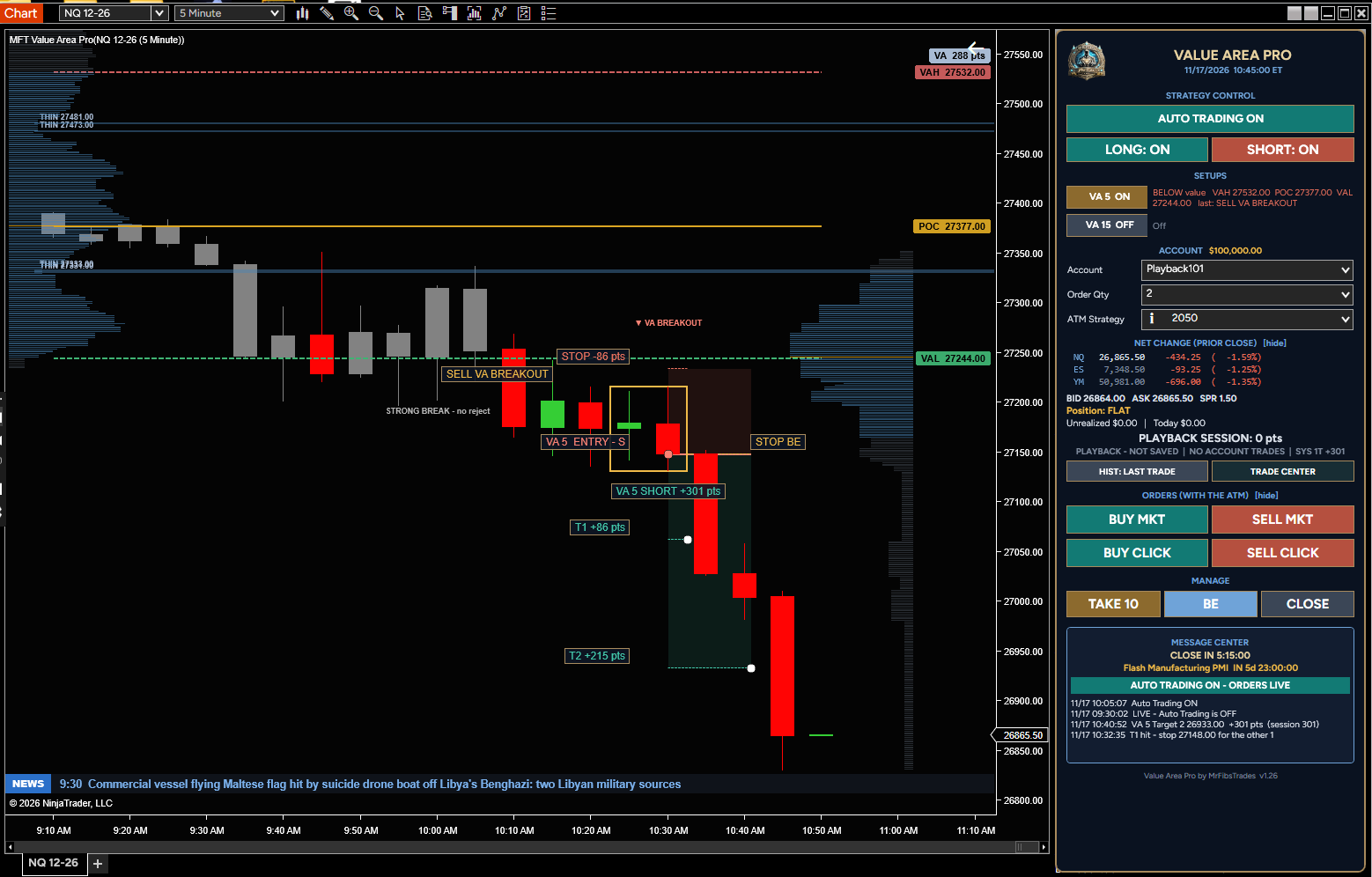
When price pushes past value and fails, opens outside value and comes back in, or breaks out and holds, you see it tagged on the chart. Turn Auto Trading on and Value Area Pro takes the trade for you, with a stop and targets at the levels the setup is built around. Leave it off and it only shows you the setups, and you trade from the panel yourself.

Three value area setups

  • VA REJECT - price pushes past VAH or VAL and fails; the trade goes back into value toward the POC. A volume filter keeps it from fading a push on strong volume
  • 80% RULE - the session opens outside value and comes back inside; the trade goes toward the other side of value
  • VA BREAKOUT - price closes outside value and holds; the trade goes with the break, with no chasing and an optional retest entry (off by default)
  • Run them on 5 minute bars, 15 minute bars or both - your choice

See the value area at a glance

  • VAH, POC and VAL lines, and the profile they come from
  • Today's profile building on the right of the chart
  • Bars inside value turn grey, so you see the moment price leaves value
  • Thin spots inside the profile where price often pauses
  • The size of the value area in points
  • A tag at every setup, taken or not

Every trade managed

  • Stop past the signal bar, in points, or the tighter of the two
  • Target 1 at the POC (or a thin spot before it), Target 2 at the other edge of value or a reward you set
  • Up to 5 targets, break-even after the first target and an optional trailing stop
  • Daily profit stop, daily loss stop, maximum trades per day and trade hours
  • Maximum contracts safety limit

A panel inside Chart Trader

  • AUTO TRADING, LONG and SHORT switches, and each setup on or off
  • Account, Order Qty and ATM Strategy - remembered with the chart
  • BUY MKT / SELL MKT, and BUY CLICK / SELL CLICK at your price on the chart
  • TAKE, BE and CLOSE to manage the trade
  • Net change for NQ, ES and YM, economic events and the countdown to the open or close
  • A Message Center that says what happened and why
  • Works with NinjaTrader's own order pills

Trade Center and Strategy Lab

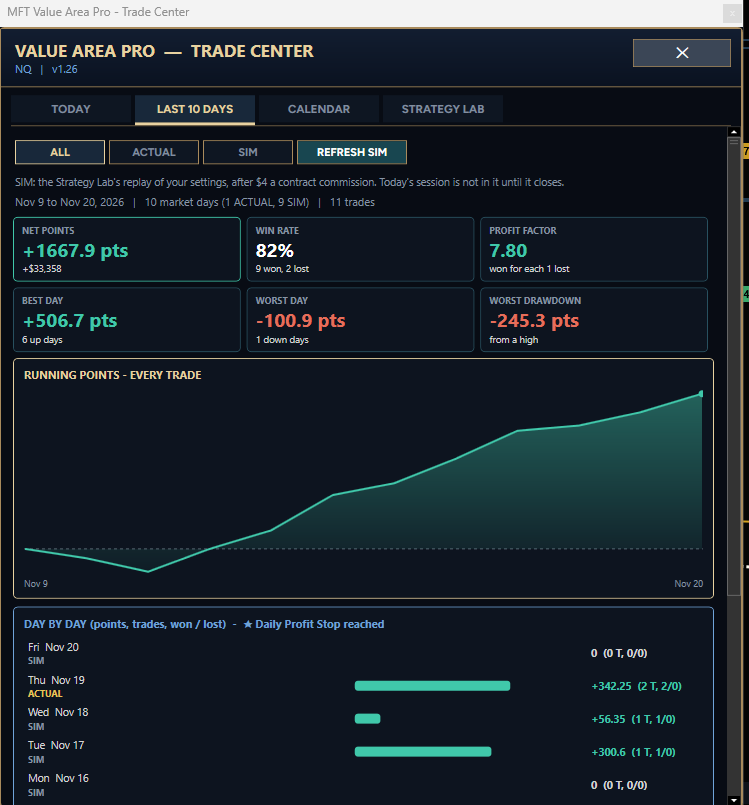
  • TODAY: the current trade, the session scoreboard and every trade
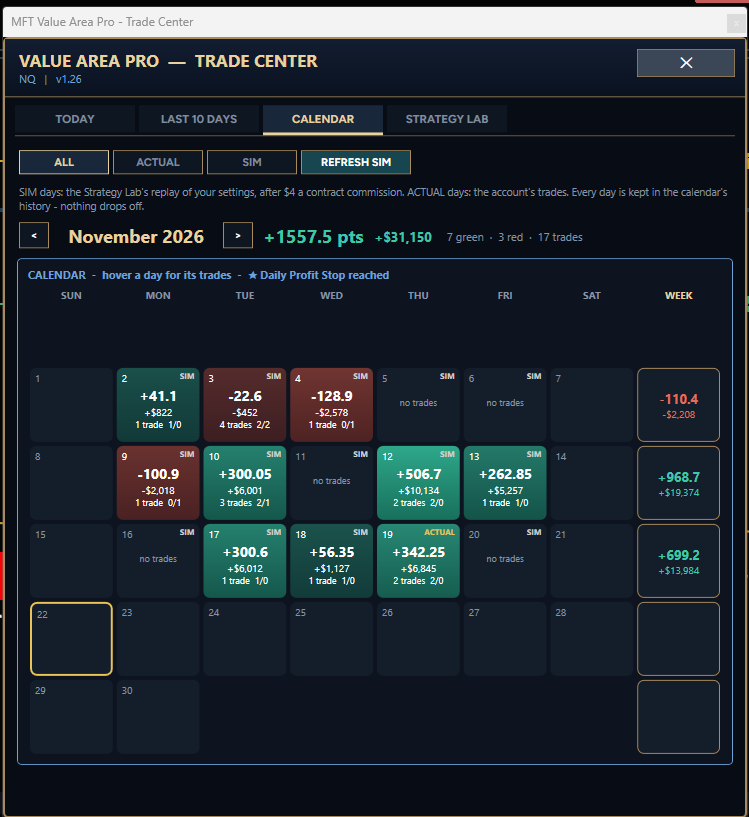
  • LAST 10 DAYS and a CALENDAR with every day green or red and weekly totals
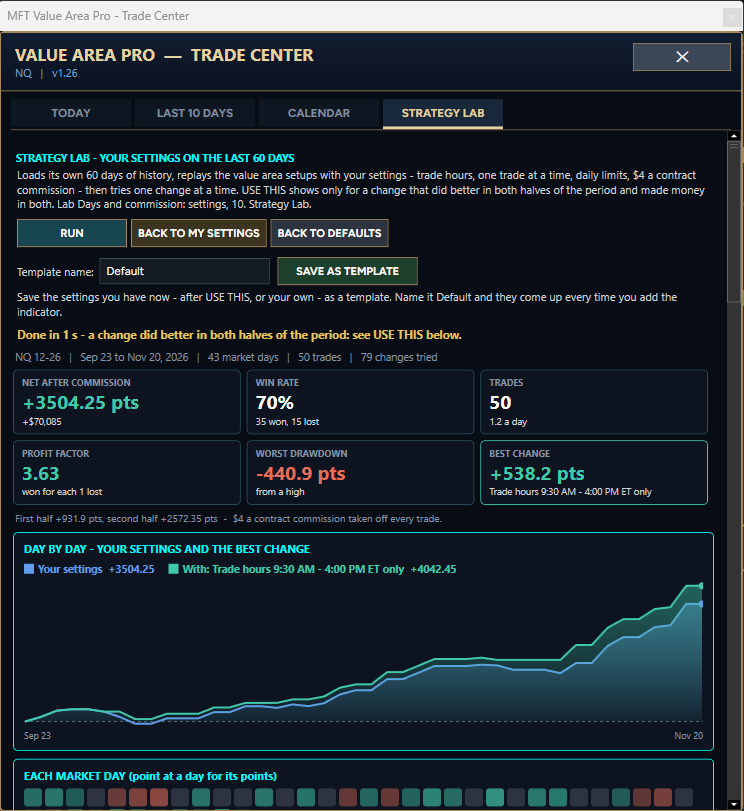
  • STRATEGY LAB: replays your settings on past market days after commission, tries variations, and lets you use one, go back, or save it as a template

Also included

  • News bar with the next big economic event, market headlines and your trades
  • Popups before red-folder USD events
  • Entry and target alert sounds
  • Works in Playback
  • Full user manual

What's new in 1.26

  • The panel sits inside Chart Trader and uses NinjaTrader's own order pills
  • Remembers your account and ATM strategy with the chart
  • Entry and target alert sounds on by default

Trading futures involves substantial risk of loss. Results are not guaranteed; losing trades and losing days happen. Strategy Lab and simulated results are hypothetical. Test on a Sim account until you are comfortable.

📦 What’s included

  • Lifetime license, one-time purchase
  • Instant download from My Account
  • Lifetime updates, with an email when a new version is out
  • Instant licensing on your Machine ID
  • Step-by-step PDF manual
  • 30-minute one-on-one setup call

30-day money-back guarantee

If it doesn’t work as described on this page and we can’t fix it within 14 days of you telling us, you get your money back. Tell us within 30 days of buying. Changed your mind instead? Trade it in once for store credit within 3 days. Refunds never cover trading losses. Read the full policy and Terms. Indicators are tools for analysis; they don’t guarantee profits. Please test in Sim or Playback first (Risk Disclosure).

MFT Value Area Pro features

Value Area Levels

VAH, POC and VAL drawn for you, with the profile they come from.

Three Setups

VA REJECT, 80% RULE and VA BREAKOUT - trade them for you or just show them.

Targets At The Levels

Target 1 at the POC and Target 2 at the other side of value.

Daily Limits

Profit stop, loss stop, max trades and trade hours that stop the day for you.

Panel In Chart Trader

Account, ATM, one-click entries, TAKE, BE and CLOSE in one place.

Trade Center

Every trade and every day, a profit calendar and the Strategy Lab.

Reviews

No reviews yet. Own it? Leave the first review from your account page.

Screenshots

MFT Value Area Pro screenshot 1MFT Value Area Pro screenshot 2MFT Value Area Pro screenshot 3MFT Value Area Pro screenshot 4

Requirements & Setup

System requirements

PlatformNinjaTrader 8 Desktop (Windows)
NinjaTrader versionsNinjaTrader 8.1.x.x (every 8.1 release, including the latest, 8.1.8.4)
PlatformNinjaTrader 8.1 or newer
DataTick data (used for entries and exits)
Chart typeMinute chart recommended
Chart TraderMust be visible - the panel sits inside it
Data connectionNeeded for live trading, the levels and the news
LicenseLifetime, one-time payment · 1 computer, or 2 computers with the 2nd at 50% off
UpdatesLifetime updates included · you get an email when a new version is out
Support30-minute one-on-one setup call · call or text (209) 353-4322 · mrfibs@mrfibstrades.com

Installation

  1. Buy it here and enter your NinjaTrader Machine ID (Help › About).
  2. Download the .zip from My Account, then in NinjaTrader 8: Tools › Import › NinjaScript Add-On.
  3. Restart NinjaTrader and add it to a chart. The PDF manual is in your account.
  4. In the indicator’s settings, under 00. License, enter the email of your MrFibsTrades account as the License Email.
  5. Run it in Sim or Playback until you’re comfortable with how it performs.

Good to know

Which NinjaTrader version does this work with?

NinjaTrader 8.1.x.x (every 8.1 release, including the latest, 8.1.8.4), on NinjaTrader Desktop for Windows. NinjaTrader add-ons don’t run on NinjaTrader Web or Mobile.

Is this a one-time purchase or a subscription?

One-time. You pay once and keep a lifetime license, with updates included.

Can I use it on more than one computer?

Each license runs on one computer (its NinjaTrader Machine ID). Choose 2 PC above to add a second computer for half of today’s price. You can also move a license to a new computer from My Account once every 30 days.

Do I get updates?

Yes. Updates are included for as long as you own it, and we email you when a new version is ready to download from My Account.

Frequently asked questions

Does it place trades automatically?

Only when you turn AUTO TRADING on. It always loads with Auto Trading off, showing the setups only, and the panel buttons still work for your own trades.

Which markets can I use it on?

Any futures market with tick data - for example NQ, ES and YM, or the micros MNQ, MES and MYM.

Does it work with prop firm accounts?

It trades any account connected in NinjaTrader. Check that your prop firm allows automated trading before you use Auto Trading there.

Where is the panel?

Inside NinjaTrader's Chart Trader, so Chart Trader needs to be visible on the chart.

Can I trade it by hand?

Yes. Leave Auto Trading off, watch the setups on the chart, and use BUY / SELL, TAKE, BE and CLOSE on the panel with your ATM strategy.

What is the Strategy Lab?

It replays your settings on past market days (30 by default) so you can see how they would have done, and try variations. The results are hypothetical, not a promise of future results.

Does it work in Playback?

Yes, with tick data for the days you replay.

How is it licensed?

To your MrFibsTrades account and your NinjaTrader Machine ID. Enter your account email in the indicator's settings and it checks your license when it loads.

You may also like

MFT ORDER FLOW PRO

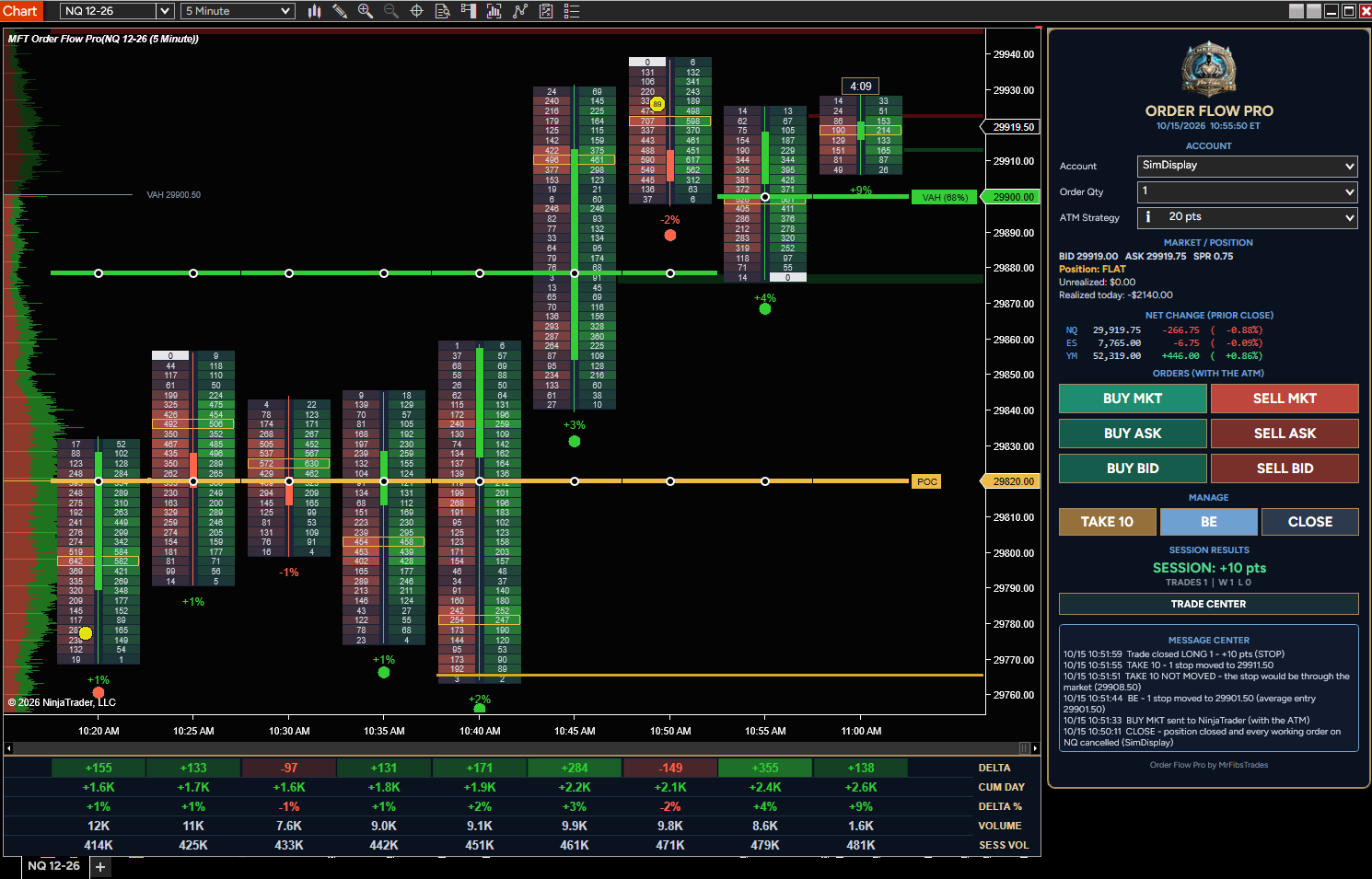
See who is really in control of every bar. MFT Order Flow Pro puts the buying and selling inside each candle right on your chart - clean, easy to read, and built to keep up with fast markets like NQ, ES and YM. Every bar shows what traded at the bid and the ask at each price, with the candle down t

$125
MrFibsTrades Multi CrossOver Pro

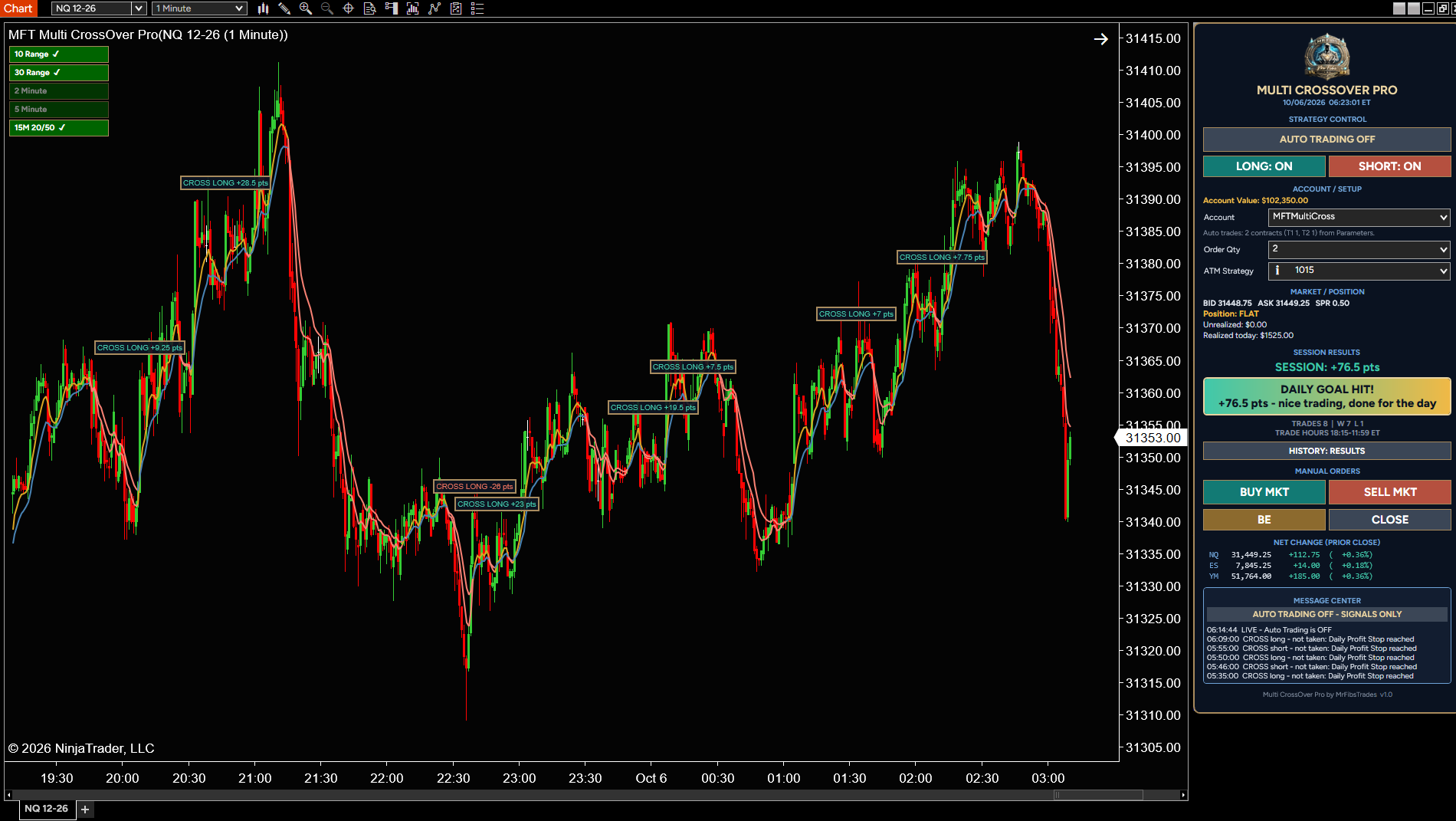
Trades EMA crossover only when the bigger picture agrees: four trend filters and the 15-minute trend must all point the same way before a trade is taken.

$195

MrFibsTrades Sessions

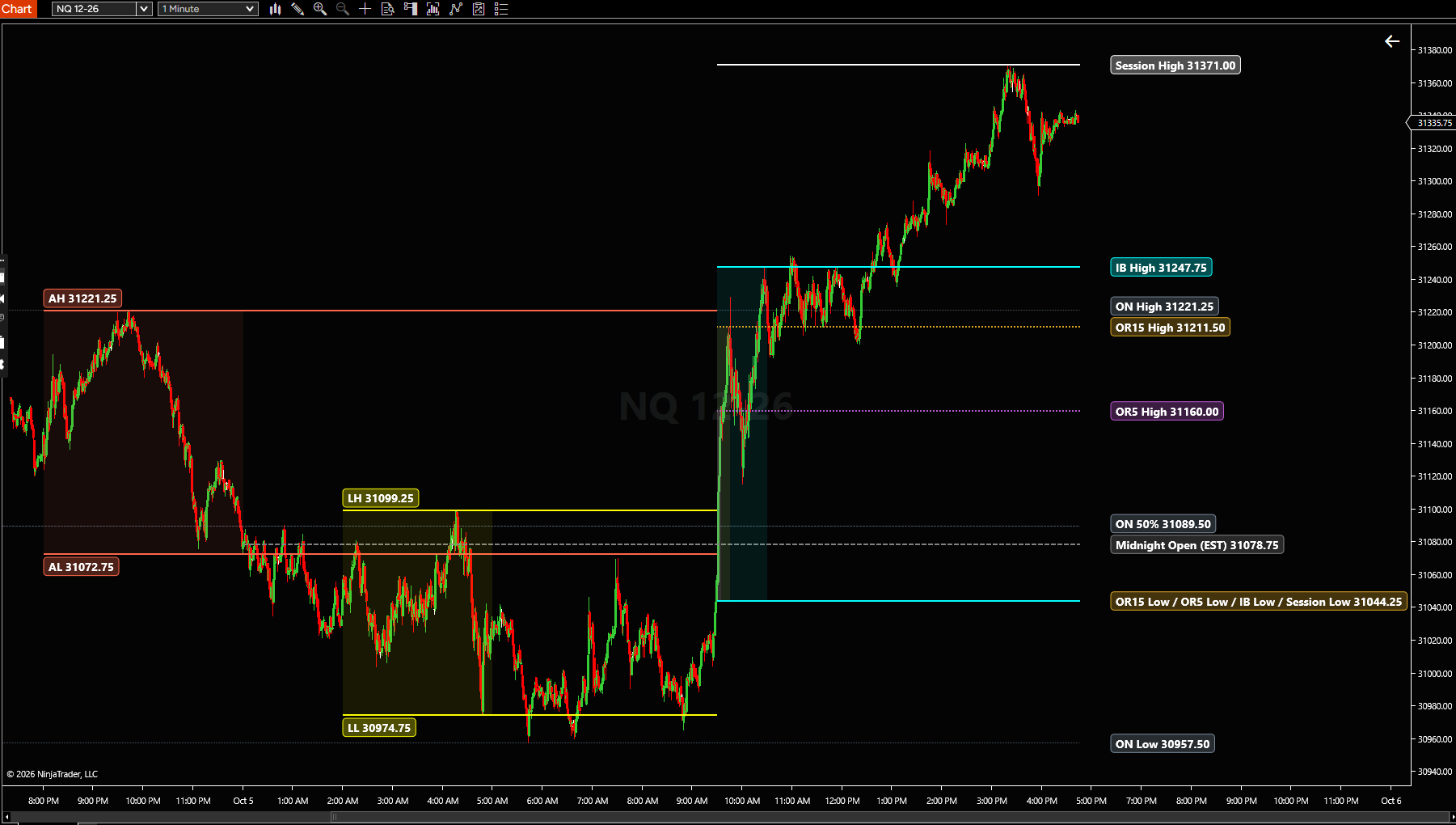
Opening range, Initial Balance and session highs/lows on your chart, updated live.

$29.95

Built for NinjaTrader 8 Desktop

Download

Indicator

NinjaTrader 8 indicator · saved in your account

We'll also email you the install steps. See our Privacy Policy.