Indicators

MFT Inside Bar 5 min and 15 min

Coming soon

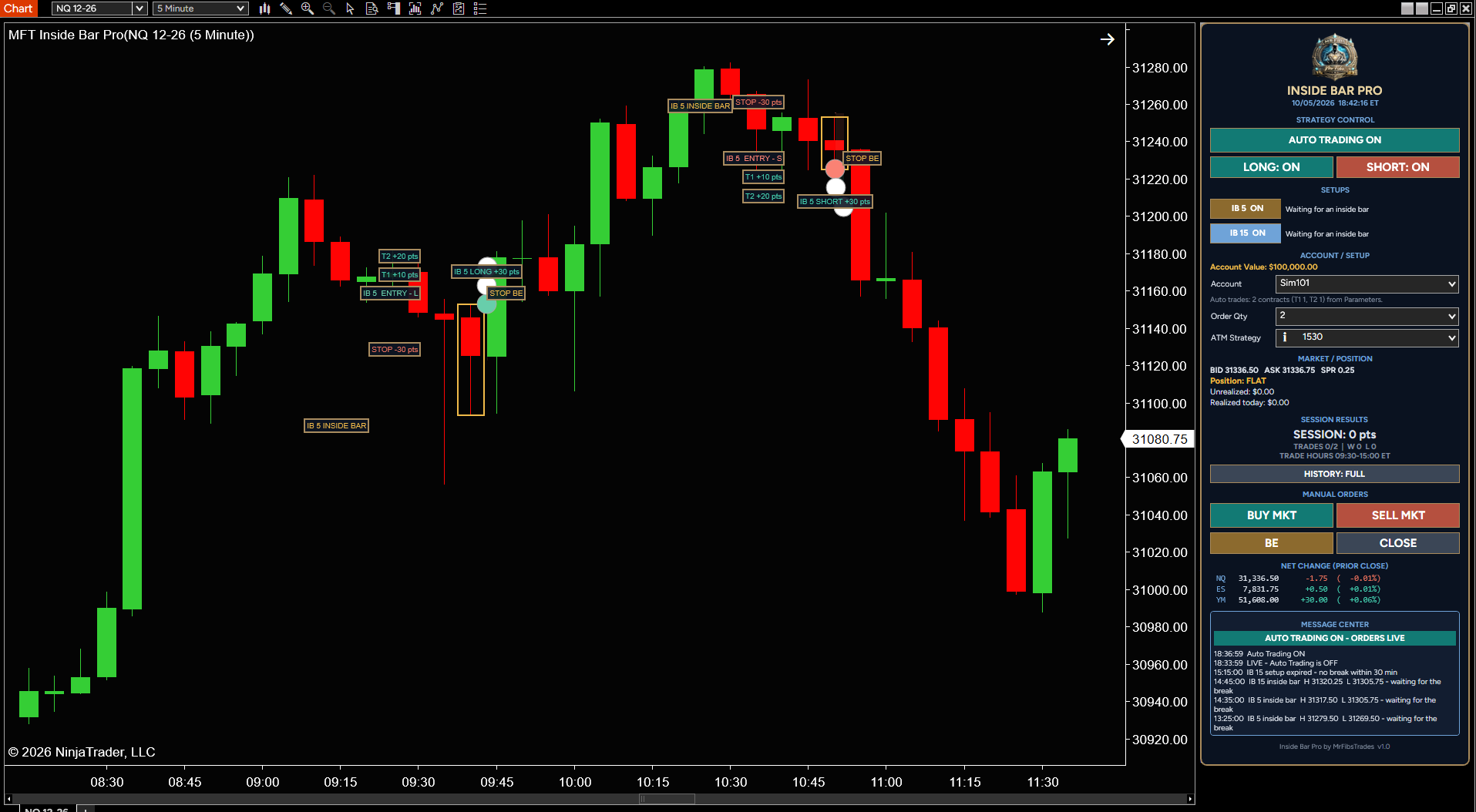
Finds inside bars on the 5- and 15-minute charts, marks the breakout entry, targets and stop right on your chart, and can manage the trade for you from one clean control panel.

  • NinjaTrader 8 indicator
  • Includes a PDF manual in your account
  • Test it in Sim or Playback first · Risk Disclosure

Features

  • Spots 5-min and 15-min inside bar setups automatically
  • Plots entry, T1, T2 and stop levels on the chart
  • Moves the stop to breakeven after the first target
  • Optional auto trading with Long/Short on/off switches
  • One-click Buy, Sell, Breakeven and Close buttons
  • Session stats, trading hours and live message center

Getting started

  1. Click Notify me and we’ll email you when it’s ready.
  2. Download the .zip from your account, then in NinjaTrader 8: Tools › Import › NinjaScript Add-On.
  3. Restart NinjaTrader and add it to a chart. The manual (PDF) is in your account.
  4. Run it in Sim or Playback until you’re comfortable with how it performs.

Reviews

No reviews yet. Own it? Leave the first review from your account page.

You might also like

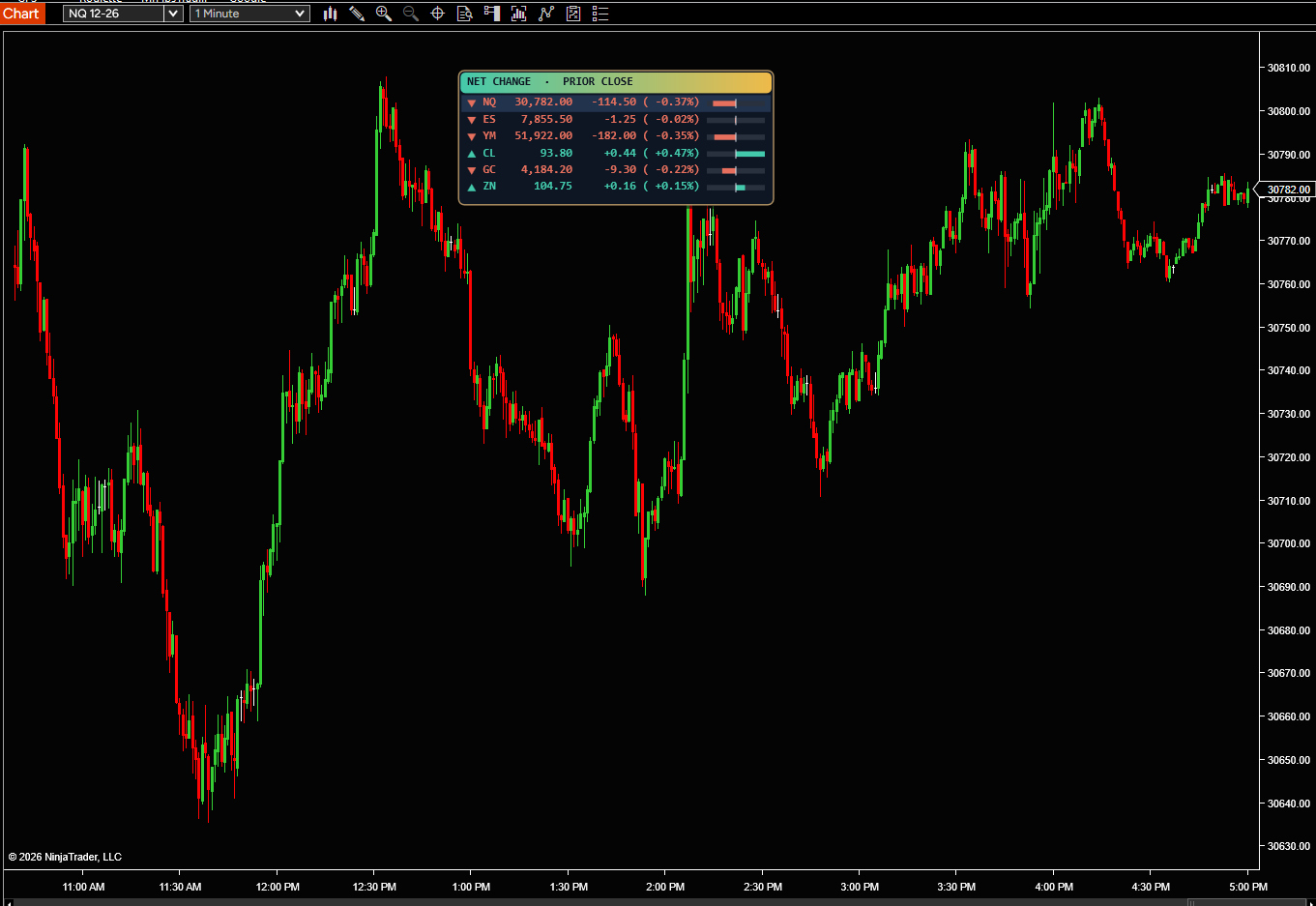
MrFibsTrades Market Pulse - Net Change

See how NQ, ES, YM and up to 8 markets are doing today, right on your chart. Each one shows its price and how far it has moved from yesterday’s 4:00 PM close, in points and percent.

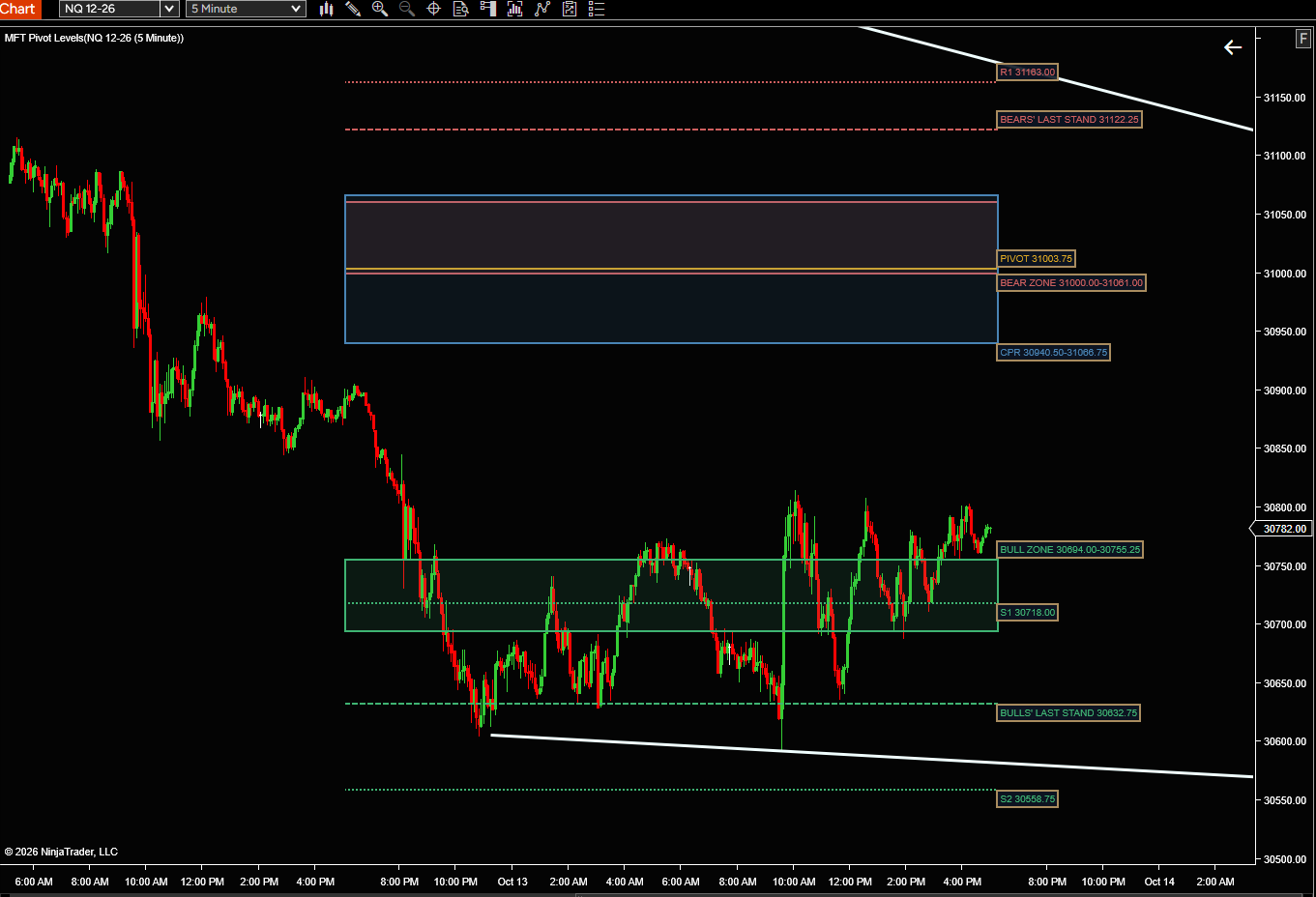
MFT Pivot Levels

The same levels MFT Pivot Player Pro trades, drawn on your chart for free. The prior day’s Bear and Bull Zones, Last Stands, pivot and central pivot range show where price is likely to react today.

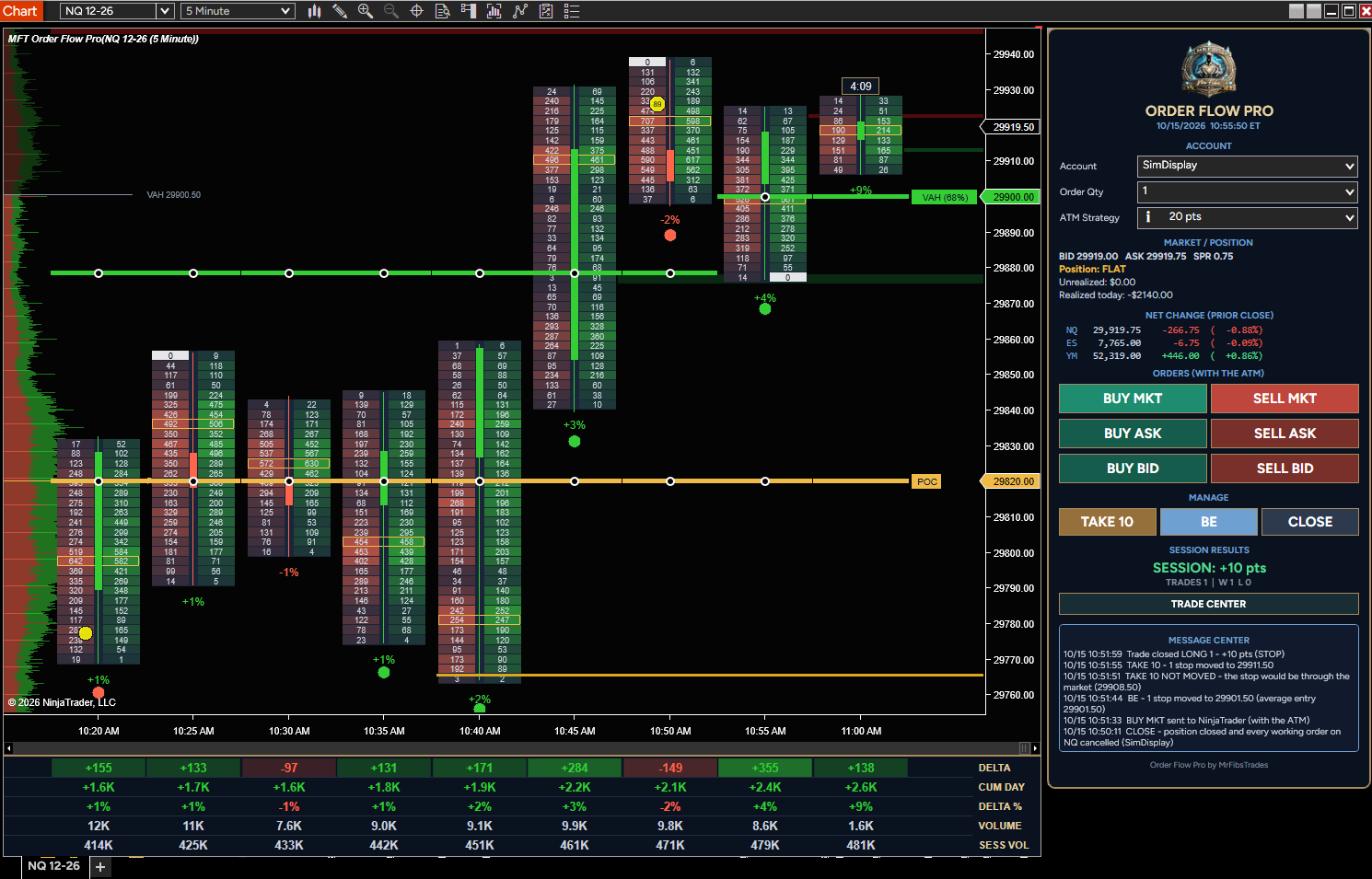
MFT ORDER FLOW PRO

See who is really in control of every bar. MFT Order Flow Pro puts the buying and selling inside each candle right on your chart - clean, easy to read, and built to keep up with fast markets like NQ, ES and YM. Every bar shows what traded at the bid and the ask at each price, with the candle down t
Coming soonDetails

← All indicators

Free download

Free indicator

NinjaTrader 8 indicator · free · saved in your account

We'll also email you the install steps. See our Privacy Policy.

Secure checkout

Checkout

Licenses

Where do I find my Machine ID?

In NinjaTrader 8 go to Help > About and copy the Machine ID. You can download and install the indicator right after checkout; we’ll email you when your license is confirmed. Don’t have NinjaTrader yet? Get it free.

or